
Free Key & BPM Finder for Any Song
Upload a track to detect its key, BPM, mode, and Camelot code directly in your browser. Free, no login, and no server upload.
Why It Helps
Use Key and BPM Before You Mix, Remix, or Create
Turn tempo and key estimates into practical decisions for DJ sets, sampling, arrangement, and music production.
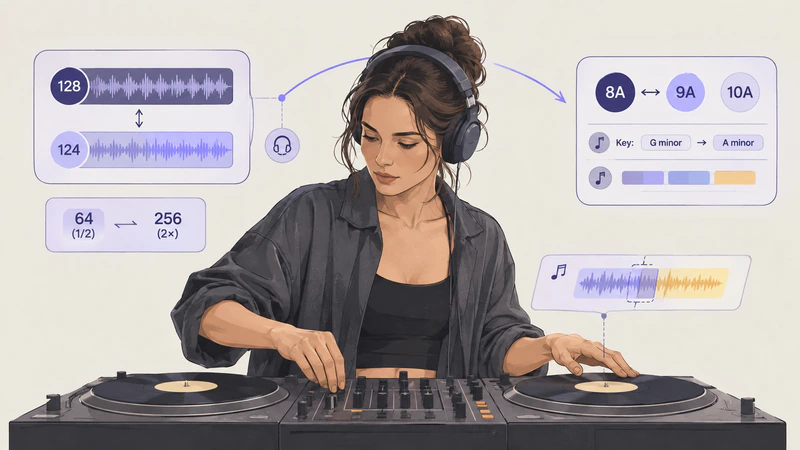
Prepare Tracks for Better Mixing
- Compare track tempos before beatmatching, then use key, Camelot code, and compatible keys as starting points for harmonic transitions.
- Check half-time and double-time options when the detected BPM does not match how you naturally count the track.
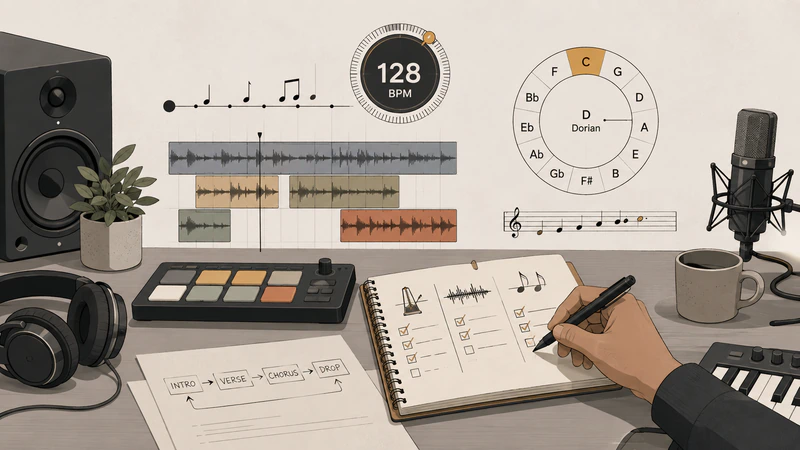
Set Up Remixes and Production Sessions
- Set your project tempo, align loops and samples, and use key and mode when tuning vocals, chords, or instruments.
- Treat confidence as a guide and confirm important choices by ear, especially with dense mixes or changing rhythm and harmony.
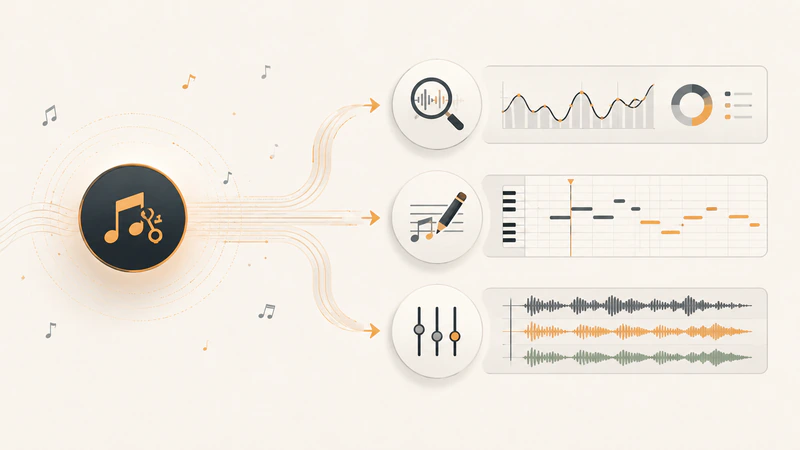
Take the Track Further with UniMusic
- Use the detected values as a reference when you continue with AI Music Analyzer, Audio to MIDI, or Stem Splitter.
- Choose the next tool based on what you need: broader track insights, editable MIDI, or isolated stems.
How It Works
Check a Track's Key and Tempo in 3 Steps
Start with a file from your device, review the browser-based estimate, and decide how to use it in your mix or production.
Total time: Shorter files usually finish in under 1 minute
Understanding the Results
What Each Key and BPM Result Tells You
Read the estimates together instead of treating one number or label as a final answer.
BPM Sets the Rhythmic Reference
BPM estimates the number of beats per minute. Use it to compare track speeds, set a DAW session tempo, or align loops, but check the pulse by ear before making precise edits.
Key and Mode Describe the Tonal Center
The key is the likely tonal center, while the mode identifies a major or minor context. Together they help you compare vocals, samples, chords, and instruments before combining them.
Camelot Codes Speed Up Key Comparison
Camelot notation converts musical keys into DJ-friendly numbers and letters. It makes compatible relationships easier to scan when planning a set, playlist, or mashup.
Confidence Shows How Strong the Estimate Is
Confidence reflects how clearly the audio supports the detected result. It helps you decide when to trust the first reading and when to inspect the track more carefully; it is not an accuracy guarantee.
Half-Time and Double-Time Explain Ambiguous Pulse
Some rhythms can be counted at two related speeds. The alternative BPM values help when the main estimate feels twice as fast or half as fast as the groove you hear.
Your Ears Make the Final Decision
Tempo changes, key changes, sparse percussion, dense mixes, or tuning drift can affect detection. Use the results to narrow the options, then listen before committing to a transition or production edit.
Questions About Finding Song Key and BPM
Get practical answers about browser analysis, supported audio, result differences, and Camelot notation.
Check a Track Before Your Next Music Session
Find its key, BPM, mode, and Camelot code in your browser, then use the estimates to plan your next mix, remix, or production step.